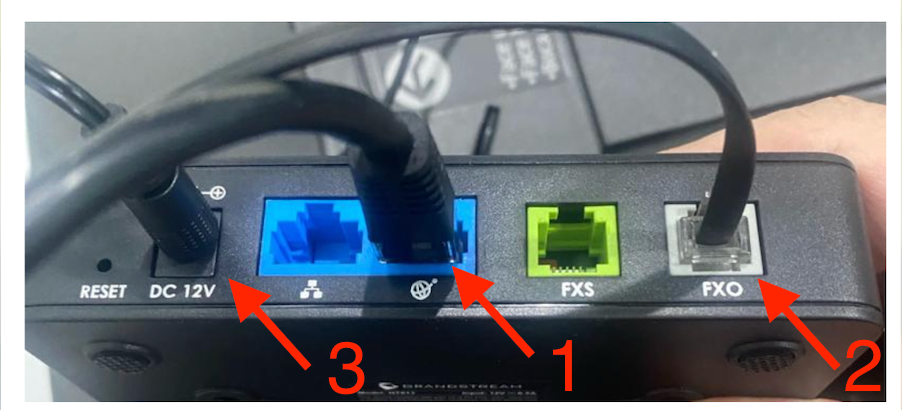
How to connect a Grandstream FXO ATA Gateway.
Follow below instructions on how to connect your FXO Gateway
Step1: Connect the Internet LAN Cable to the WAN (1) port
Step2: Connect the Phone RJ11 Cable to the FXO (2) port
Step3: Connect the Power Cable (3)
TIP: To reboot the device unplug the power cable, wait for a few seconds and reconnect the power cable.